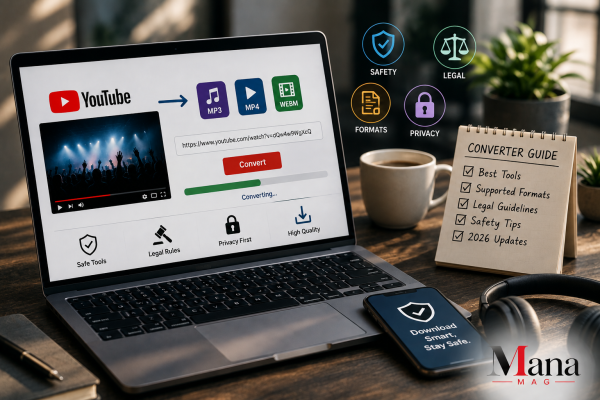
A YouTube converter is any tool that takes a YouTube video and turns it into a downloadable file, usually MP3 for audio or MP4 for video, so you can use it outside the YouTube app. Before picking a tool, it helps to know the real differences between browser-based converters, desktop software, and browser extensions, plus what’s actually legal to convert and what puts your device at risk. This covers all of that in one place, without pretending every converter out there is safe or that every download is legal.
The Three Types of YouTube Converters
Not all converters work the same way, and the type you choose affects speed, quality, and safety.
Browser-Based (Online) Converters
You paste a YouTube link into a website, the site processes it on its own servers, and you get a download link. No installation required. These are the fastest to use for a single, one-off conversion and work on any device with a browser, including phones. The tradeoff is that you’re relying entirely on that website’s servers, ad network, and privacy practices, and this category includes both genuinely clean tools and some of the shadiest sites in this whole space.
Desktop Software
Programs like 4K Video Downloader, VideoProc, MediaHuman, ClipGrab, and Wondershare UniConverter install on your computer and handle the conversion locally instead of routing your video through a third-party server. These tend to offer more format options, batch processing (converting a whole playlist at once), and higher output quality, at the cost of needing to actually install something, which means you need to trust the developer and keep the software updated.
Command-Line Tools
Tools like yt-dlp (the actively maintained successor to the older youtube-dl project) run through a terminal instead of a graphical interface. They’re free, open source, and give you the most control over format, quality, and batch downloads, but they have a real learning curve and aren’t built for casual users who just want to click a button.
| Type | Best For | Tradeoff |
| Browser-based | Quick, one-off conversions | Highest exposure to ads, fake buttons, and shady redirects |
| Desktop software | Regular use, batch conversion, higher quality | Requires installation and trust in the developer |
| Command-line (yt-dlp) | Power users, automation, precise control | Steep learning curve, no visual interface |
What You Can Actually Convert Legally
This is the part most “best converter” lists gloss over, and it matters more than which tool you pick.
YouTube’s Terms of Service prohibit downloading any part of the service unless YouTube itself provides a download option, like YouTube Premium’s offline mode. That rule applies regardless of which converter you use, and it’s separate from copyright law, which governs whether the content itself is protected.
Here’s where that leaves you in practice:
- Your own uploaded videos: Fully fine to convert and download. It’s your content.
- Creative Commons or public-domain content: Legitimate, since the license explicitly permits reuse. Just double-check the specific license terms, since “Creative Commons” covers several different license types with different rules.
- Content from YouTube’s Audio Library: Built specifically for download and reuse, so this is the cleanest option if you just want royalty-free music or sound effects.
- Content you have explicit written permission to use: Fine, as long as you actually have that permission, not just an assumption that it’s probably okay.
- Someone else’s copyrighted music, movie clips, or monetized content, without permission: This is copyright infringement, separate from the YouTube TOS violation, even if enforcement against individual users is uncommon in practice.
A simple way to think about it: the tool is neutral. What you convert is what determines whether you’re on solid legal ground.
The Safety Side: Why This Category Attracts Bad Actors
Free online converters are a magnet for low-quality, aggressive advertising, and some outright malicious sites, for a simple reason: they’re free to use, get enormous search traffic, and don’t require an account, which makes them an easy target for ad networks that legitimate advertisers won’t touch.
Independent security reviews of this category consistently flag the same handful of problems:
- Fake download buttons that trigger a software download instead of your actual file
- Fake “your device is infected” pop-ups designed to scare you into installing fake antivirus software (which is the actual malware)
- Notification permission requests that, once accepted, let the site spam ads to your device even after you’ve closed the tab
- Browser hijacking through bundled extensions that change your homepage or default search engine
- Redirects to phishing or scam pages through low-tier ad networks
None of this means every converter is dangerous. Established desktop tools and well-known command-line utilities generally don’t have this problem, since they’re not funded by aggressive ad placement. It’s specifically the free, ad-supported browser-based converters where caution matters most.
How to Pick a Safer Tool
A few practical checks before you trust any converter, browser-based or otherwise:
- Check how long the tool has been around and whether it has a real reputation. Newer, obscure sites with no track record carry more risk than tools that have been reviewed and used for years.
- Look for a clear privacy policy. A legitimate tool explains what happens to the video link and file you submit, and doesn’t require you to dig for that information.
- Use an ad blocker. This alone eliminates a large share of the fake buttons and malicious pop-ups on browser-based converters.
- Never accept a notification permission prompt from a converter site. Legitimate file conversion doesn’t need it.
- Avoid installing anything a website tells you to install. A real browser-based converter finishes the job in your browser, full stop, no extra downloads required.
- For desktop tools, download only from the developer’s own site, not a third-party download aggregator, which sometimes bundles extra unwanted software into the installer.
Choosing the Right Format
The right output format depends on what you’re actually going to do with the file:
- MP3: The standard for music and podcasts. 128kbps is fine for spoken word; 320kbps is worth it for music if file size isn’t a concern.
- MP4: The most widely compatible video format, works across nearly every device and platform.
- WAV: Uncompressed audio, useful for audio editing work where quality loss from compression matters, but produces much larger files than MP3.
- AVI: Less common today, mostly relevant if you’re working with older editing software that specifically requires it.
If you’re not sure, MP3 for audio and MP4 for video cover the vast majority of use cases without any compatibility headaches.
Legal Alternatives Worth Considering First
Before reaching for a converter at all, it’s worth checking whether there’s a fully legitimate path to what you actually need:
- YouTube Premium lets you download videos and audio directly in the official app for offline playback, no third-party tool needed.
- Podcast apps often carry the same audio content available on YouTube, already set up for legal offline listening.
- Streaming services like Spotify or Apple Music offer offline downloads of licensed music at better audio quality than most conversions produce.
- Bandcamp and direct artist downloads let you legally support musicians while getting a clean, high-quality file, often at whatever price you choose to pay.
Bottom Line
A YouTube converter is a genuinely useful tool for the right situation: your own content, royalty-free material, or anything you have clear permission to use. Where people get into trouble isn’t usually the tool itself, it’s either downloading copyrighted content without permission or landing on one of the more aggressive, ad-heavy sites in this space and clicking the wrong button. Pick a converter with a real reputation, keep an ad blocker on, stick to content you actually have the right to download, and this becomes a low-risk, genuinely useful part of your workflow instead of a gamble.
FAQ
Is it illegal to use a YouTube converter?
The tool itself isn’t illegal to use, but downloading copyrighted content without permission is, and that’s separate from the fact that using any third-party downloader also violates YouTube’s own Terms of Service. Converting your own uploads, royalty-free content, or explicitly licensed material is legitimate.
What’s the safest type of YouTube converter?
Established desktop software (like well-reviewed tools from known developers) and command-line tools like yt-dlp tend to be safer than free, ad-supported browser-based converters, since they aren’t funded by aggressive, low-tier advertising networks.
Can I convert a whole YouTube playlist at once?
Yes, but usually only with desktop software or command-line tools. Most simple browser-based converters handle one video at a time.
Why do some YouTube converter sites feel so full of ads and pop-ups?
Free converters need to make money somehow, and many rely on aggressive ad networks that legitimate advertisers avoid. That’s also why this category sees more fake download buttons and deceptive pop-ups than most other types of websites.
What audio quality should I choose when converting to MP3?
320kbps is the best available quality for music, since YouTube’s own audio is already compressed and higher bitrates prevent extra quality loss during conversion. 128kbps is generally sufficient for spoken content like podcasts or lectures.
Is there a legal way to download YouTube videos for offline use?
Yes. YouTube Premium includes an official offline download feature built directly into the app, which is the only method that works entirely within YouTube’s own terms of service.

Must See
-


Sports
/ 2 months agoLos Angeles Chargers vs Detroit Lions Match Player Stats: 2025 Hall of Fame Game
The Los Angeles Chargers defeated the Detroit Lions 34-7 in the 2025 NFL Hall...
By Magzine -


Sports
/ 2 months agoPittsburgh Pirates vs Mets Match Player Stats: August 2026 Game Breakdown
The Pittsburgh Pirates and New York Mets produced two very different games during their...
By Magzine -


Sports
/ 2 months agoGolden State Warriors vs Orlando Magic Match Player Stats, Box Score and Game Analysis
The Golden State Warriors beat the Orlando Magic 120-97 on December 22, 2025, at...
By Magzine