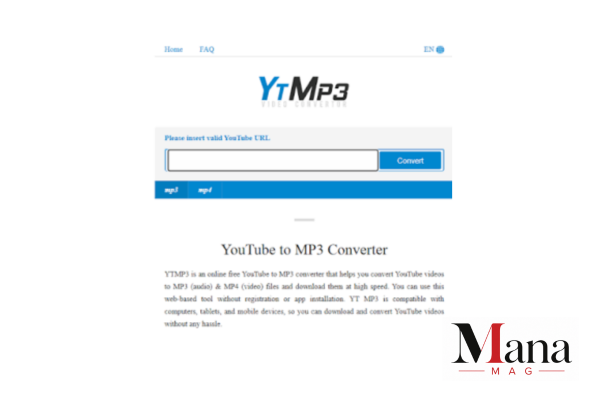
A YTMP3 MP3 converter is an online tool designed to turn the audio portion of a YouTube video into an MP3 file. The basic idea is simple: provide a video address, let the service process the media, and receive an audio file.
That sounds straightforward, but there is more to YTMP3 convert searches than clicking a button. Users also need to consider copyright, audio quality, misleading download buttons, privacy, malware risks, and whether the material can legally be saved.
This guide explains what a YTMP3 converter is, how YouTube-to-audio conversion works at a technical level, why people use MP3 files, what can affect audio quality, and the safer official options available for offline listening.
What Is a YTMP3 MP3 Converter?
A YTMP3 converter is a web-based conversion service that takes the media associated with a video URL and attempts to produce an audio file, commonly in MP3 format.
The term “YTMP3” is also used by multiple websites and services, so it should not automatically be treated as the name of one single official YouTube product.
The general conversion process has three stages:
- A user provides a video URL.
- The service retrieves or processes the available media.
- The audio is encoded into the requested format, such as MP3.
The resulting file can then be played by software that supports MP3.
Earlier descriptions of YTMP3-style services commonly highlighted their browser-based design, meaning users did not need to install dedicated conversion software. They also described features such as quality selection and support for different types of media.
However, features vary considerably between websites. A claim made by one YTMP3 site should not be assumed to apply to every website using the same name.
Why Do People Search for “YTMP3 Convert”?
The main search intent is practical.
Someone searching ytmp3 convert is usually trying to turn online video content into an audio file. There are several reasons they might want to do that.
Listening without video
An MP3 contains audio rather than the full video presentation. For a spoken lecture, interview, language lesson, or other audio-focused material, keeping the video may not be necessary.
Saving storage space
Audio files are generally smaller than complete video files. A person interested only in sound may prefer an audio format instead of storing a video.
Listening while doing something else
A podcast-style video, speech, tutorial, or lecture can sometimes work well as audio when the visual material is not needed.
Compatibility
MP3 is an old and widely supported audio format. Many phones, computers, car systems, media players, and other devices can play it.
That said, MP3 is not automatically the best format for every situation. It uses lossy compression, meaning some audio information is discarded during encoding.
How Does YouTube-to-MP3 Conversion Work?
At a high level, a converter separates or extracts the audio portion of available media and then encodes it into an audio format.
Think of a video as a package containing multiple pieces of information. The picture and sound are stored as different media streams. A conversion service attempts to obtain the relevant stream and produce a standalone audio file.
The MP3 encoding stage is where the final audio characteristics are determined.
A simplified workflow looks like this:
Video source → media processing → audio extraction → MP3 encoding → audio file
The process sounds simple, but the service has to deal with factors such as source availability, encoding, file size, server capacity, and the format supplied by the original content.
This is why two services can process the same source and produce files that sound noticeably different.
What Does MP3 Quality Actually Mean?
One common mistake is assuming that a converter can create better audio than the original source.
It cannot.
If the original audio is already compressed or limited in quality, converting it to a higher bitrate does not magically restore missing information.
For example, taking a low-quality source and producing a larger MP3 does not turn it into studio-quality audio. The file may be bigger, but the underlying source remains the same.
Bitrate
MP3 quality is often discussed using bitrate, measured in kilobits per second (kbps).
Higher bitrate generally means:
- Larger files
- More data retained during encoding
- Potentially better sound quality
Lower bitrate generally means:
- Smaller files
- More aggressive compression
- Greater possibility of audible quality loss
The exact result also depends on the source and encoder.
This is why a converter advertising “320 kbps” should not be interpreted as proof that the source itself contains 320 kbps worth of original audio information.
Is a YTMP3 Converter Free?
Many websites using the YTMP3 name advertise free conversion.
But “free” does not necessarily mean that the service has no business model.
Some free conversion sites may rely on advertising, affiliate links, donations, or other forms of monetization. Users should therefore pay attention to what happens around the conversion button.
Be wary if a page:
- Opens several unexpected tabs
- Displays fake browser warnings
- Pushes an unfamiliar extension
- Requests unnecessary personal information
- Offers suspicious software downloads
- Uses multiple buttons that look like the actual download control
- Claims your device has been infected
- Redirects you to unrelated websites
A clean-looking interface is not proof that a particular converter is trustworthy.
Is YTMP3 Safe to Use?
Safety depends on the specific website, not simply on the word “YTMP3.”
Some older articles have claimed that YTMP3 services use HTTPS, delete processed files, or follow certain privacy practices. Those statements cannot automatically be applied to every current site using the YTMP3 name.
This distinction is important because online services can change ownership, domains, advertising providers, technical systems, and privacy policies.
How to reduce security risks
If you encounter an online converter, consider these basic precautions:
- Keep your browser and operating system updated.
- Use reputable security software.
- Never install an APK simply because a conversion page tells you to.
- Do not disable browser security features to make a site work.
- Avoid entering passwords or payment information into an unfamiliar converter.
- Check the actual destination of download buttons before clicking.
- Close pages that display fake virus warnings or aggressive pop-ups.
You should also scan unexpected downloaded files before opening them, particularly if the site tried to persuade you to install additional software.
Is Using a YTMP3 Converter Legal?
There is no universal yes-or-no answer because copyright rules vary by country and depend on the material and how it is used.
The more important point is that a converter does not give you copyright permission.
YouTube explains that creators normally own copyright in original videos they create, while permission, a relevant copyright exception, public-domain status, or an applicable Creative Commons license can provide lawful ways to use certain material.
YouTube’s own terms and features also distinguish between ordinary viewing and authorized downloading.
So, before converting anything, ask:
Do I have the right to make an audio copy of this material?
If you created the video yourself, received permission from the copyright owner, or the material is available under terms that permit the intended use, the situation can be different from downloading copyrighted music or another person’s video without authorization.
Local law matters too.
Does Giving Credit Make Downloading Copyrighted Content Legal?
No.
This is a common misconception.
Writing the creator’s name in a file name, description, social post, or elsewhere does not automatically grant permission to copy or distribute copyrighted material.
YouTube specifically notes that simply giving credit to the copyright owner does not by itself give someone the right to use copyrighted material.
Copyright exceptions can exist, but they are fact-specific and differ between jurisdictions.
For example, YouTube’s explanation of U.S. fair use notes that factors can include the purpose of the use, the nature of the copyrighted work, the amount used, and the effect on the potential market. Courts ultimately decide fair-use questions based on the facts of a particular case.
Can You Download YouTube Videos Officially?
Yes, but YouTube’s official download features work differently from a typical YTMP3 converter.
For eligible users, YouTube Premium provides an official offline-viewing feature. You can download eligible videos through YouTube and watch them later without an active internet connection. YouTube currently supports downloads on supported mobile devices and, in supported browsers, on computers.
There is an important difference, though:
YouTube’s official offline feature does not give you a normal MP3 file that you can freely move between music players.
YouTube explains that downloaded videos are stored in an encrypted form and played through the YouTube service. It also states that audio, music, or MP3 files cannot be downloaded directly from the YouTube app as ordinary MP3 files.
For people who simply want offline listening, this can be a much safer route than relying on an unknown third-party converter.
What About Your Own YouTube Videos?
If you uploaded the original video yourself, YouTube provides an official way to download your uploaded content.
YouTube’s help documentation says creators can download MP4 copies of their own uploaded videos through YouTube, subject to certain restrictions.
Once you have your own original video file, you can use legitimate audio-editing or media-conversion software to extract its audio for personal use.
This is one of the clearest cases where converting your own material makes sense.
YTMP3 Converter vs. YouTube Premium
The two approaches solve different problems.
| Feature | YTMP3-style converter | YouTube Premium offline |
| Main purpose | Third-party media conversion | Official offline viewing |
| MP3 file output | Often advertised | No ordinary MP3 download |
| Software installation | Usually not required by web services | Uses YouTube |
| Copyright permission | Depends on your rights and the material | Governed by YouTube’s licensed service |
| Security | Depends on individual website | Official YouTube environment |
| Offline access | Downloaded file may work in compatible players | Playback through YouTube |
| Source reliability | Can vary by website | Managed by YouTube |
If your goal is simply to watch or listen offline, the official route is generally easier to trust.
If your goal is to create an MP3 from material you own or are licensed to convert, a conventional audio-conversion application can make more sense than an anonymous online website.
What Are Better Options for Your Own Audio?
You do not always need a website called YTMP3.
If the source belongs to you, consider established desktop or mobile media tools that let you control the conversion yourself.
For example, an audio editor can import a video file you have the rights to use and export its audio as MP3, WAV, FLAC, or another suitable format.
The choice depends on what you need.
MP3
Good for broad compatibility and relatively small files.
WAV
Useful when you want uncompressed audio, although files are much larger.
FLAC
Useful when you want lossless compression and the original source supports genuinely lossless audio.
AAC
Often provides good quality at relatively efficient file sizes, although compatibility varies by device and use case.
Choosing a format based on the original source is usually smarter than selecting the largest number displayed by a converter.
Why a Converted MP3 May Sound Worse Than You Expect
Imagine you have a video with mediocre audio quality. You put it through a converter and choose the highest available MP3 setting.
You might expect the result to sound excellent.
But encoding cannot recreate information that was never present.
Several factors can affect the final result:
- Original audio quality
- Original codec
- Source bitrate
- Converter’s decoding process
- MP3 encoder
- Output bitrate
- Multiple rounds of compression
- Background noise in the source
This is particularly noticeable with music containing cymbals, dense arrangements, strong bass, or quiet passages.
For speech, the difference may be much less obvious.
Why Some YTMP3 Downloads Have Strange File Names
Online converters sometimes generate generic file names based on the video title or an internal identifier.
That can result in files containing:
- Very long names
- Special characters
- Missing artist information
- Missing album information
- Poorly formatted titles
If you are converting material you own, you can clean up the metadata afterward using a legitimate tag editor.
Useful fields include:
- Artist
- Track title
- Album
- Release year
- Genre
- Cover artwork
Good metadata makes a large audio collection much easier to manage.
Does Converting a Video Remove Copyright Protection?
No.
Changing a video into an MP3 does not remove the underlying copyright.
The format has changed, but the copyrighted work has not suddenly become public domain.
YouTube’s copyright guidance makes clear that copyright can apply to audiovisual works and sound recordings, while lawful use can depend on permission, licensing, public-domain status, or an applicable exception.
This is why “It’s only an MP3” is not a useful copyright argument.
What Should You Do If a Converter Stops Working?
Third-party conversion websites can stop working for many reasons, including changes to their own systems, changes on the source platform, browser issues, domain changes, or server overload.
Instead of searching for a series of suspicious mirror sites, first decide what you actually need.
If you want offline YouTube viewing, check whether YouTube’s official download feature is available to you.
If you want an audio file from your own video, download your original content through YouTube and convert the file locally.
If you want music for offline listening, consider an authorized music service that provides offline playback as part of its normal subscription or purchase model.
That approach avoids turning a simple listening problem into a security problem.
A Practical Checklist Before Using Any YouTube-to-MP3 Service
Before entering a URL into an unfamiliar converter, run through this quick checklist:
- Do I have permission to copy the content?
- Is there an official offline option available?
- Does the website clearly explain who operates it?
- Does it demand an extension or unknown application?
- Are there suspicious redirects or fake security alerts?
- Does it ask for information unrelated to audio conversion?
- Am I being promised an impossible improvement in audio quality?
- Would downloading my own original file solve the problem instead?
If several answers raise concerns, there is little reason to continue.
YTMP3 MP3 Converter: The Bottom Line
A YTMP3 MP3 converter is generally a web-based tool intended to extract audio from online video and encode it as an MP3 file. The basic concept is easy to understand, and that simplicity explains why searches such as ytmp3 converter and ytmp3 convert remain popular.
But the tool itself is only part of the story.
Copyright rights depend on the material, your jurisdiction, and how you use the resulting file. A third-party converter does not automatically give you permission to copy someone else’s work. YouTube also provides official offline features for eligible users, although those downloads are designed for playback within YouTube rather than as ordinary MP3 files.
For your own videos or material you are authorized to use, local conversion software can give you more control over file formats, quality, and metadata. For ordinary YouTube viewing, the platform’s own offline features are generally the cleaner choice.
In short, don’t judge a converter only by how quickly it produces a file. Check the source, your rights, the site’s safety, and the quality you actually need.
FAQ
What is a YTMP3 MP3 converter?
A YTMP3 MP3 converter is a web-based service that attempts to extract audio from a video URL and produce an MP3 file. Different websites may use the YTMP3 name, so features and reliability can vary.
Is YTMP3 an official YouTube service?
No. YTMP3-style conversion websites are third-party services and should not be confused with YouTube’s own products or offline-download features.
Is YTMP3 free?
Many YTMP3 websites advertise free conversion, although their business models can differ. A free service may use advertising or other forms of monetization.
Is using a YTMP3 converter legal?
It depends on the content, your rights to use it, applicable copyright exceptions, and the law where you live. Converting copyrighted material without the necessary permission can create copyright problems. YouTube explains that permission, licensing, public-domain status, and certain legal exceptions can affect whether copyrighted material may be used.
Can YTMP3 convert any YouTube video?
Not necessarily. Availability can vary because of technical restrictions, changes to the source platform, video accessibility, and limitations imposed by individual third-party services.
Does converting to 320 kbps make the audio higher quality?
No. A higher output bitrate can produce a larger file, but it cannot restore audio information that was already missing from the original source.
Can I download YouTube videos officially?
YouTube Premium provides offline downloads for eligible videos and supported devices or browsers. YouTube also allows creators to download their own uploaded videos.
Can YouTube Premium download an MP3?
No. YouTube’s help documentation states that audio, music, or MP3 files cannot be downloaded directly from the YouTube app as ordinary MP3 files. Its offline feature is designed for playback within YouTube.
Is it safe to use online YouTube-to-MP3 converters?
Safety varies by website. Avoid services that push unknown software, browser extensions, suspicious downloads, fake virus warnings, or requests for unnecessary personal information.
What is the best alternative to a YTMP3 converter?
For offline YouTube viewing, YouTube’s official download feature is the most straightforward option where available. For your own videos, download the original file through YouTube and use established media software to create the audio format you need.
What audio format is better than MP3?
It depends on the use case. MP3 is convenient and broadly compatible. FLAC preserves lossless audio when the source supports it, while WAV provides uncompressed audio but requires much more storage.

Must See
-


Sports
/ 2 months agoLos Angeles Chargers vs Detroit Lions Match Player Stats: 2025 Hall of Fame Game
The Los Angeles Chargers defeated the Detroit Lions 34-7 in the 2025 NFL Hall...
By Magzine -


Sports
/ 2 months agoPittsburgh Pirates vs Mets Match Player Stats: August 2026 Game Breakdown
The Pittsburgh Pirates and New York Mets produced two very different games during their...
By Magzine -


Sports
/ 2 months agoGolden State Warriors vs Orlando Magic Match Player Stats, Box Score and Game Analysis
The Golden State Warriors beat the Orlando Magic 120-97 on December 22, 2025, at...
By Magzine